
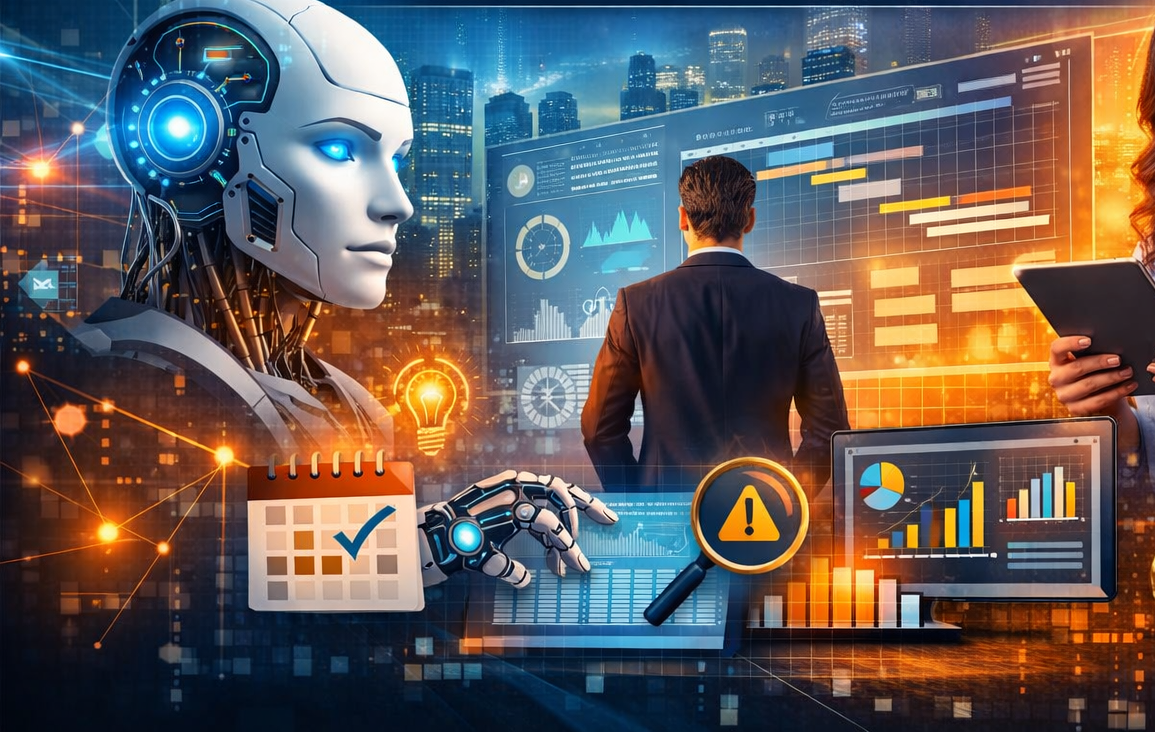
How AI Is Transforming Project Management: Tools, Training, and Big Four Examples
Project management has always been a discipline of balancing scope, time, cost, risk, communication, and stakeholder expectations. What has changed in recent years is the speed and volume of information a project manager must process. That is where artificial intelligence is becoming genuinely valuable. AI is not replacing project managers; it is augmenting them. It helps teams plan faster, monitor progress more accurately, identify risks earlier, automate repetitive coordination work, and generate clearer reporting for leadership. Modern platforms such as Microsoft Planner with Copilot, Asana AI, and monday.com AI now embed AI directly into project workflows rather than treating it as a separate experimental layer.
Why AI matters in project management
The traditional project manager spends a large share of time on work that is necessary but administratively heavy: preparing status updates, consolidating action points, reformatting plans, chasing owners, checking schedules, identifying bottlenecks, and translating technical progress into management language. AI can compress much of that effort. It can summarize meetings, draft plans from prompts, generate task descriptions, detect schedule slippage, flag resource conflicts, and surface portfolio-level risks in real time. Microsoft states that Copilot in Planner can generate plans, set goals, track status, and react to changes as projects evolve. Asana describes AI capabilities for summaries, task creation, and workflow assistance, while monday.com positions its AI features around automations, risk visibility, and workflow execution.
In practical terms, this means AI is most useful in five areas:
1. Planning and scheduling
AI can turn raw project inputs into initial work plans. A project manager can provide objectives, milestones, team roles, and timelines, and the system can produce draft tasks, dependencies, and timelines. This reduces blank-page syndrome and accelerates project setup. In advanced environments, AI can also suggest schedule adjustments when tasks slip or when resource availability changes. Microsoft’s Planner and Project offerings explicitly highlight plan generation, dependencies, critical path visibility, and resource management.
2. Meeting management and communication
One of the fastest-return use cases is meeting intelligence. AI can summarize meetings, extract action items, identify unresolved decisions, and prepare stakeholder updates. That reduces coordination lag and improves accountability. Microsoft’s Copilot learning materials emphasize its use across Outlook, Teams, Word, Excel, and PowerPoint for drafting, summarizing, and organizing work.
3. Risk identification and early warning
AI helps project managers move from reactive tracking to predictive oversight. By analyzing overdue tasks, dependency patterns, workload distribution, issue logs, and portfolio data, AI can surface likely schedule or delivery risks before they become major problems. monday.com specifically highlights real-time risk visibility across work and portfolios.
4. Reporting and executive dashboards
Instead of manually collecting updates from multiple teams, AI can synthesize data into weekly status reports, highlight variances, and tailor summaries for different audiences such as sponsors, PMOs, and delivery teams. This is especially valuable in large programs where reporting discipline often consumes disproportionate management time. Asana and Microsoft both position AI as a tool for summarization and project visibility.
5. Workflow automation
AI is increasingly paired with no-code or low-code workflow automation. This enables recurring project actions such as assigning tasks, routing approvals, drafting follow-up messages, or creating work items from notes or forms. Asana Academy and monday academy both provide official training around AI-enabled workflow building, while Microsoft provides structured Copilot skilling and training paths.
AI tools that project managers can use
Microsoft Planner + Microsoft 365 Copilot
This is one of the strongest options for enterprise project teams already working in the Microsoft ecosystem. It supports plan creation, task tracking, status monitoring, meeting follow-ups, document drafting, and cross-app productivity in Teams, Outlook, Word, Excel, and PowerPoint. For PMOs and corporate environments, its value is less about novelty and more about integration with existing work patterns and governance.
Asana AI
Asana AI is well suited for teams that want work management, intelligent summaries, automated task support, and AI-assisted workflows inside a structured task platform. It is particularly effective for marketing, operations, transformation, and cross-functional project environments where clarity of responsibilities and status visibility matter.
monday.com AI
monday.com combines project management with AI blocks, automations, and portfolio-level intelligence. It is useful for teams that want visual work management with flexible automation and a lower barrier to configuring custom workflows. Its official materials position AI around execution, visibility, and risk discovery.
PMI Infinity and PMI AI learning ecosystem
For project managers specifically, the Project Management Institute has created AI-focused learning and certification pathways. These are less about day-to-day task boards and more about helping project professionals understand how to lead AI-enabled projects and use AI responsibly in project environments.
GitHub Copilot for technical project environments
While not a traditional project management platform, GitHub Copilot is highly relevant where the project manager works with software delivery teams. It accelerates development, documentation, and technical execution, which can materially improve sprint predictability and delivery throughput when used with proper governance. Deloitte publicly cited a case where it helped CIBC pilot and scale GitHub Copilot across 1,800+ developers, reporting a 10–14% productivity lift and 90% adoption.
What training should a project manager go through?
To use AI effectively, project managers need more than tool familiarity. They need a staged capability build.
1. Foundation training in AI for project management
A project manager should first understand what AI can and cannot do, where it fits in the project lifecycle, and what governance issues arise. PMI offers AI in Project Management resources, a Generative AI Overview for Project Managers course, and the PMI-CPMAI certification pathway. These are good starting points because they connect AI directly to project delivery rather than teaching AI in the abstract.
2. Tool-specific skilling
After the foundation, the project manager should learn the actual tools used in their organization:
- Microsoft Learn’s Copilot path for Microsoft 365 and Planner
- Asana Academy courses and AI skill badges
- monday academy lessons on AI blocks, automation, reporting, and workflow mastery
3. Prompting and workflow design
Using AI well is not just a matter of typing prompts. Project managers need to learn how to structure prompts for status reporting, risk analysis, work breakdown drafting, stakeholder messaging, and decision summaries. They also need basic workflow design capability so AI outputs can be embedded into actual delivery processes rather than used ad hoc. Asana and monday both explicitly train users on building workflows and using AI inside those workflows.
4. Data governance, privacy, and responsible AI
This is non-negotiable in enterprise project management. A project manager handling client data, commercial documents, procurement records, or internal strategy material must understand permissions, retention, privacy, and safe use of enterprise AI. Microsoft emphasizes that Microsoft 365 Copilot inherits permissions, sensitivity labels, and retention policies, but organizations still need trained users and clear governance.
5. Change management and adoption training
The best AI tool fails if the team does not trust it or adopt it properly. Project managers should therefore also build skills in benefits realization, adoption planning, and human-AI collaboration. EY’s Microsoft Copilot implementation materials explicitly emphasize benefits realization and adoption, including training and engagement activities for widespread use.
Examples from the Big Four
Public evidence varies in depth, but there are credible examples from the Big Four showing how AI tools are being deployed in real delivery environments.
PwC
PwC is the clearest large-scale example. PwC states that it enabled Microsoft Copilot for more than 210,000 employees globally and reported more than 40 million Copilot actions in six months; another PwC case-study page states deployment at 230,000+ users worldwide. PwC also announced a strategic collaboration with Microsoft focused on AI agents and enterprise transformation. For project management, this matters because it shows AI being embedded at scale in knowledge work, coordination, reporting, and collaboration environments very similar to PMO operations.
EY
EY’s public examples are more focused on implementation capability and adoption frameworks than on a detailed internal PMO case study. EY and Microsoft jointly promote Copilot implementation services, including identifying value hotspots, deployment, and benefits-realization/adoption activities. EY also highlights AI and Copilot communities and responsible AI work around Microsoft 365 Copilot. This indicates that EY is not treating Copilot as a peripheral experiment; it is positioning it as an enterprise work platform with structured rollout and governance.
KPMG
KPMG’s materials similarly emphasize Microsoft Copilot adoption, workplace transformation, and practical value realization. KPMG states that its firms help organizations realize value from Microsoft 365 Copilot, and one KPMG Canada example reports helping a mining company deploy an initial phase of 1,000 Microsoft Copilot licenses with 87% adoption. For project managers, the important lesson is that successful AI deployment depends on structured adoption, workforce readiness, and integration into day-to-day work processes.
Deloitte
Deloitte’s strongest public example in this area is from a technical project setting. Deloitte reported collaborating with CIBC to pilot and scale GitHub Copilot across 1,800+ developers, yielding a 10–14% productivity lift and 90% adoption. Deloitte also positions agentic AI and workplace modernization as core elements of its Microsoft practice. While GitHub Copilot is a development tool rather than a classic PM tool, the result is highly relevant for software project management because delivery predictability, documentation speed, and execution velocity directly affect project outcomes.
What this means for the project manager of the future
The modern project manager does not need to become a data scientist. But they do need to become AI-literate. That means understanding which project tasks can be augmented, which decisions still require human judgment, and how to govern AI use responsibly. The most effective project managers will be the ones who combine domain judgment, stakeholder intelligence, and delivery discipline with AI-supported planning, reporting, and risk management. PMI’s current AI learning and certification push reflects that broader shift in the profession. AI in project management is therefore not a passing productivity hack. It is becoming part of the operating model of modern delivery. Teams that adopt it well will not simply work faster; they will work with better visibility, tighter coordination, stronger documentation, and earlier insight into risk. And for organizations running large, multi-stakeholder, or fast-moving projects, that advantage is substantial.